

Although there are plenty options to choose from, you might decide to take the reins and build something unique. Design your own program and leave nothing to chance! Our AI can still provide support along the way, offering helpful suggestions for weight progression if you like.
Step 1: Build your Favorites collection
Start by creating your sessions and saving them as Favorites.
- Open your Library and tap "+"
- Select "Workout"
- Add the exercises.
- Save the workout
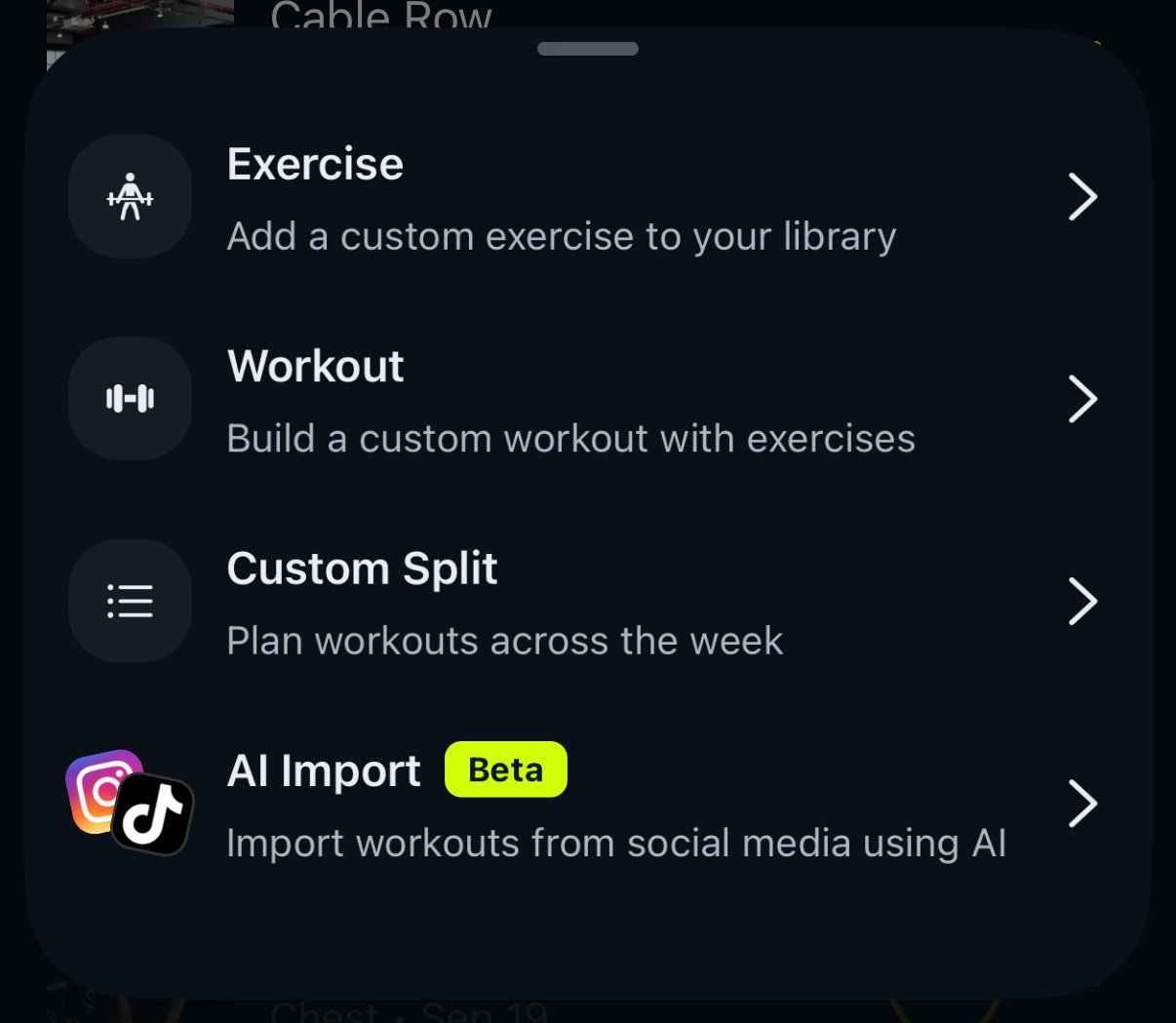
Repeat the steps above to save all desired workouts.
Step 2: Create your Custom split
Now it's time to organize your workouts into a routine.
- Open the Library and tap "+"
- Tap Custom Split
- Name your split and tap Continue
- Pick how many workouts it has, from 1 to 7
- For each workout, choose Favorite Workout to reuse one you saved, or Muscle Groups to pick the muscles to train
- On the Summary screen, keep Set as my active split on so Gravl suggests these workouts when you train, then tap Create split
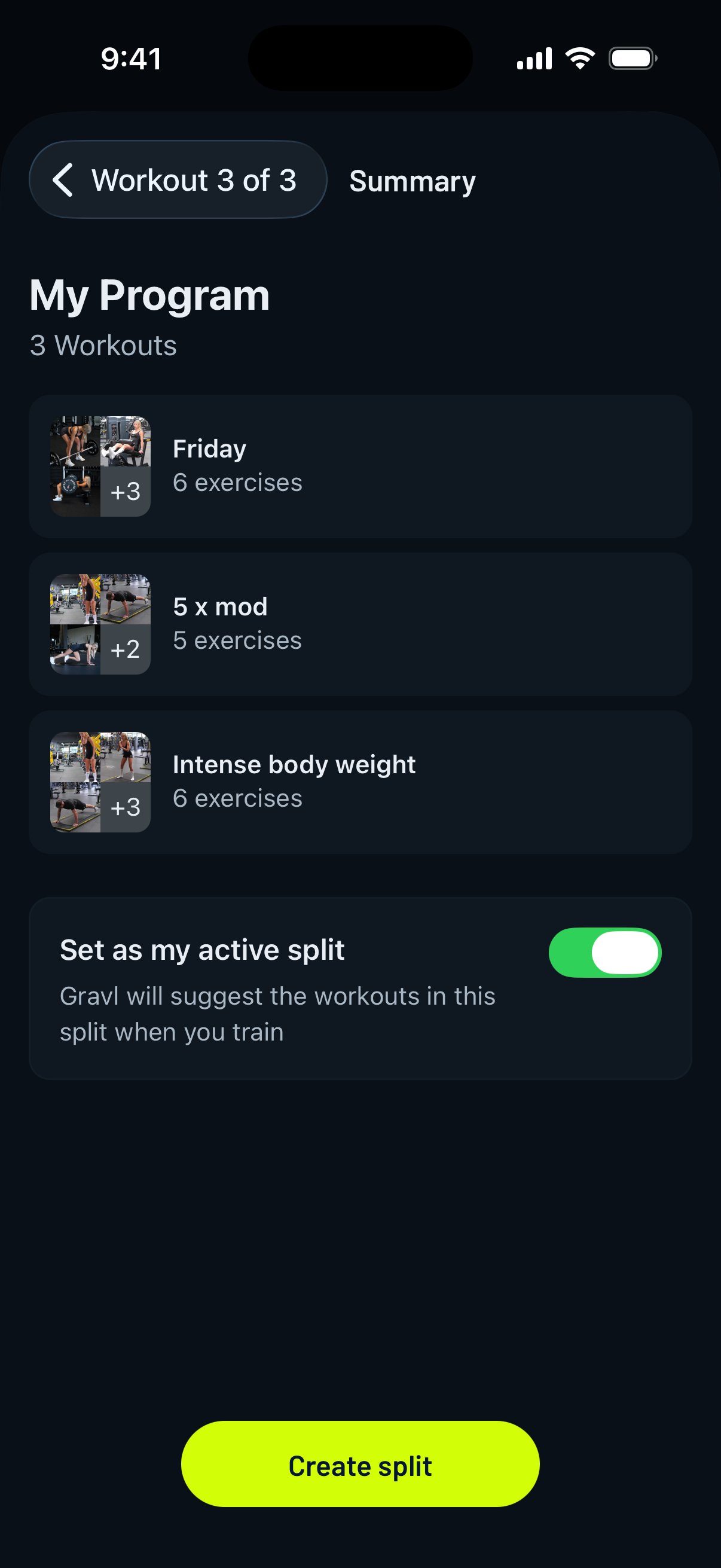
Voilà!! You've just created a fitness program tailored to your preferences. Now go out there and achieve your goals!
Gravl tip:
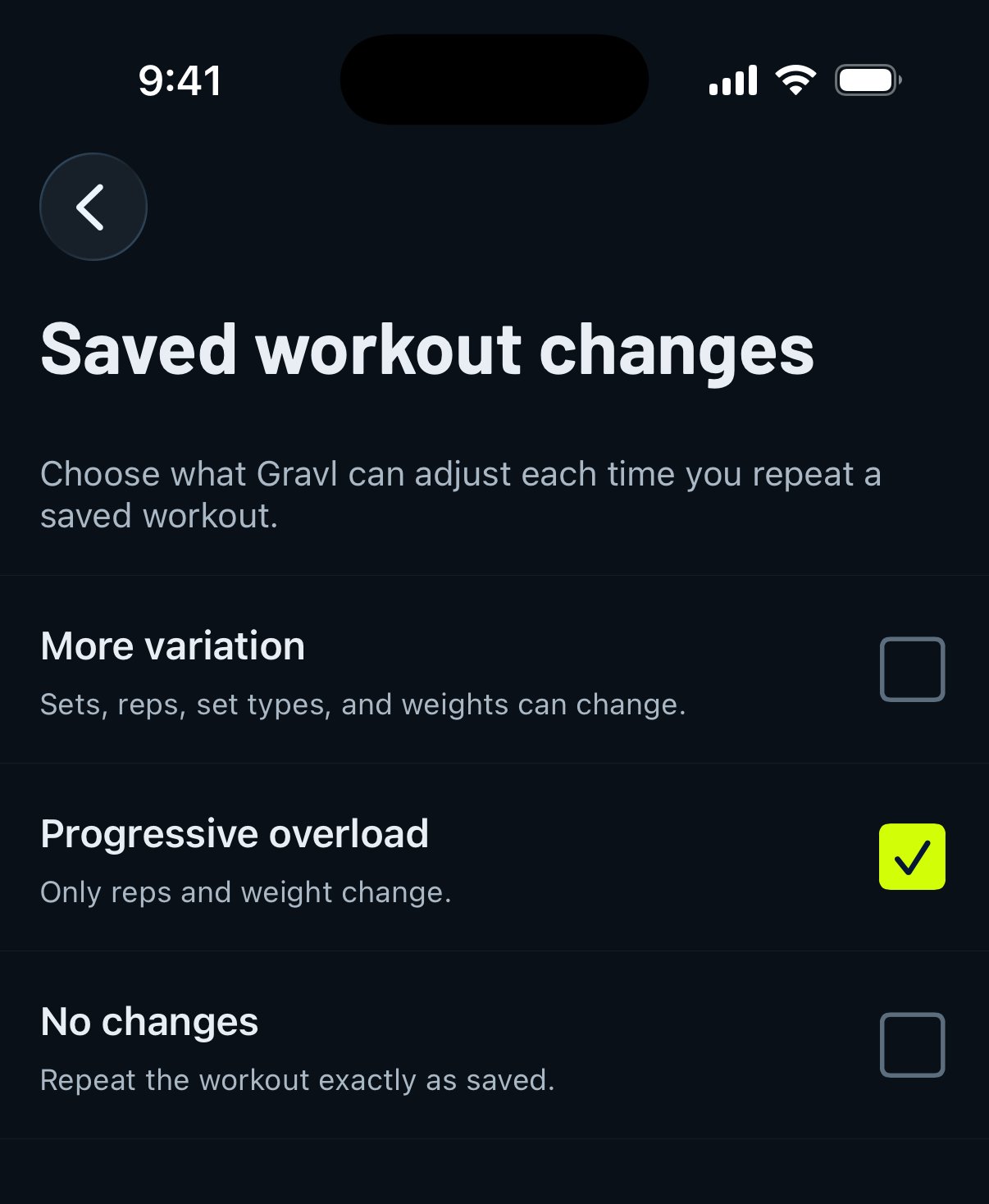
You can select how your Favorite workouts are generated each time. There are three options to select from, and every account starts on Progressive overload.
Go to Train > sliders icon in the top right > Saved workout changes (under Workout Structure) and select one of the options:
- More variation - Same exercises and order. The number of sets, reps and set types can vary based on your workout settings.
- Progressive overload - Same exercises, order and number of sets. Reps and weights can vary to apply progressive overload.
- No changes - A fully identical workout every time.
\