

Gravl Macros is our app for food, calorie and macro tracking. If you subscribe to Gravl Workouts, you get a personal code that gives you one month of Gravl Macros for free.
Who gets the offer
You see the offer if:
- You have an active Gravl Workouts subscription.
- You don't already have Gravl Macros Pro. A free Gravl Macros account still counts.
We can pause the offer from time to time. While it's paused, you don't see it in the app.
The offer on your Train tab
After you've logged at least 3 workouts, Gravl shows you a Gravl Macros sheet on the Train tab. It only shows once.
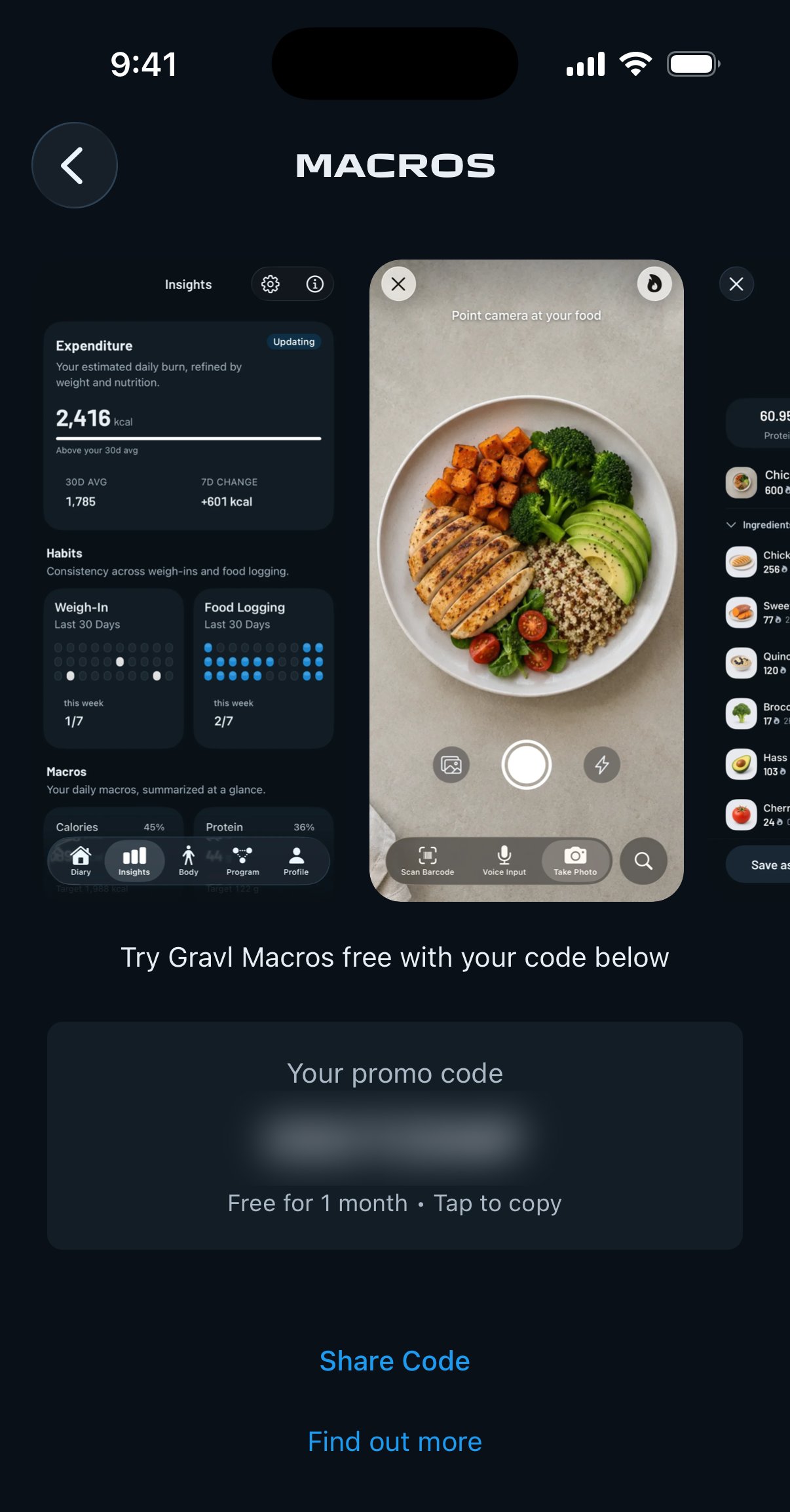
The sheet shows Your promo code with Free for 1 month • Tap to copy. Tap the code to copy it. Tap Get Gravl Macros to open the App Store or Google Play, or Not now to close the sheet.
Find your code later
- Go to the Profile tab.
- In the Gravl Macros section, above the settings categories, tap Get 1 month free.
From there you can:
- Tap the code to copy it.
- Tap Share Code to send it to someone else.
- Tap Find out more to learn more about Gravl Macros.
After you get Gravl Macros Pro, the Get 1 month free row no longer shows.
Redeem your code
Install Gravl Macros, sign in and enter your code. To see where to enter it, go to Manage Your Subscription in the Gravl Macros help centre.
Each code works one time. After it's used, the code shows Code redeemed in Gravl Workouts. If you share your code and someone else redeems it first, you can't use it yourself.
Gravl Tip:
This offer is not the same as the Gravl Workouts + Macros bundle. The bundle is a yearly membership for both apps that you buy on the web, and you can't add codes to it.