

Your Strength Score shows how strong you are for your size, in one number. Here's how it works, and why it sometimes moves in ways you don't expect.
How your score is built
- Each exercise gets a score from your best lift of the last 3 months. We estimate your one-rep max (1RM) from the weight and reps you log, then compare it with strength standards for your gender and your bodyweight on the day of the lift.
- Each muscle group gets the average of its exercise scores.
- Your Strength Score is the average of your muscle group scores.
You need at least three logged workouts before your total appears. Until then, the Progress tab shows which exercises already have a score.
| Level | Score |
|---|---|
| Starter | 1-49 |
| Novice | 50-99 |
| Experienced | 100-149 |
| Pro | 150-199 |
| Athlete | 200-249 |
| Elite | 250-299 |
| Olympic | 300+ |
The badge around your score takes the color of your level.
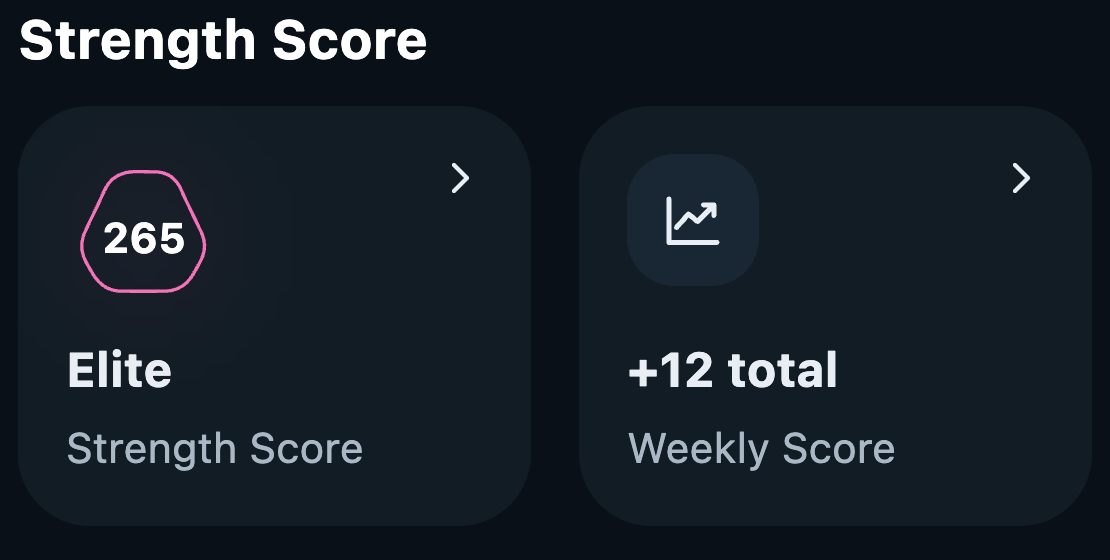
Tap your score on the Progress tab to open the Strength Score screen: your level, a Friends leaderboard, your history graph, and a breakdown by muscle group. Tap a muscle group to see its exercises.
Which exercises count
Only barbell and dumbbell lifts count, because machines vary too much between brands to compare fairly. Only the exercises you log count, and custom exercises don't count.
- Chest: Barbell Bench Press, Barbell Incline Bench Press, Dumbbell Bench Press, Dumbbell Incline Bench Press
- Back: Barbell Row, Barbell Row Reverse Grip, Dumbbell Row, Incline Dumbbell Row
- Shoulders: Barbell Shoulder Press, Seated Barbell Shoulder Press, Dumbbell Lateral Raise, Dumbbell Shoulder Press
- Quads: Back Squat, Front Squat, Dumbbell Bulgarian Split Squat, Dumbbell Lunge
- Hamstrings: Deadlift, Stiff Legged Deadlift, Dumbbell Romanian Deadlift
- Biceps: Barbell Curl, EZ Bar Curl, Dumbbell Bicep Curl, Seated Dumbbell Curl
- Triceps: Close Grip Bench Press, EZ Bar Skullcrusher, Dumbbell Skullcrusher, Single Arm Dumbbell Tricep Extension
- Glutes count too. If your profile is set to male and you had a Gravl account before June 2026, Glutes were left out when we added them. You can put them back in the Strength Score settings.
Your Weekly Summary
Tap the Weekly Summary card on the Progress tab to see what changed this week.
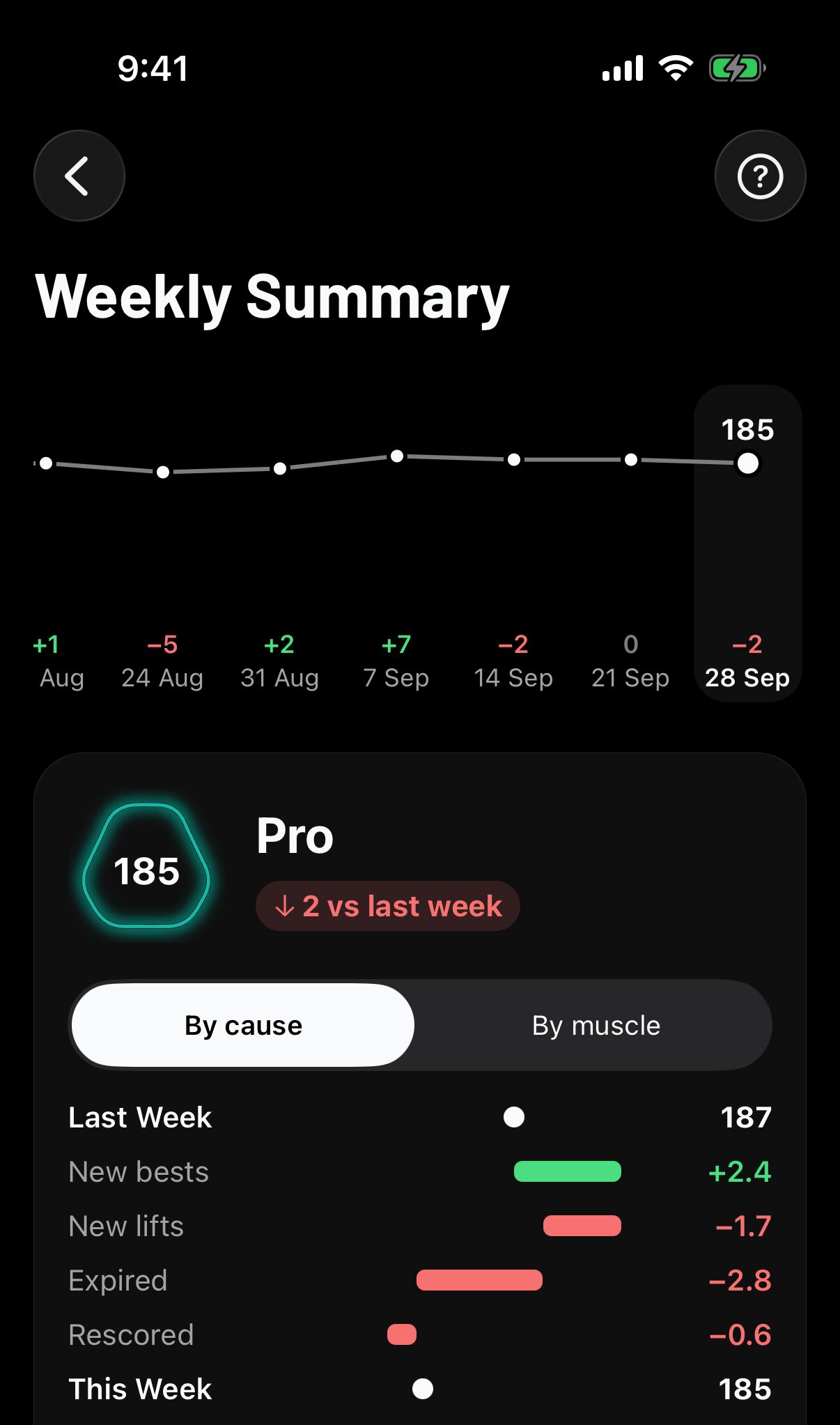
- The chart shows your score week by week. Tap a week to review it.
- The breakdown starts at last week's score and shows how much each cause moved it: new bests, new lifts, expired lifts and rescored lifts. Tap By muscle to see which muscle groups moved instead.
What happened lists every lift that changed. The number on the right is how much that lift moved your total.
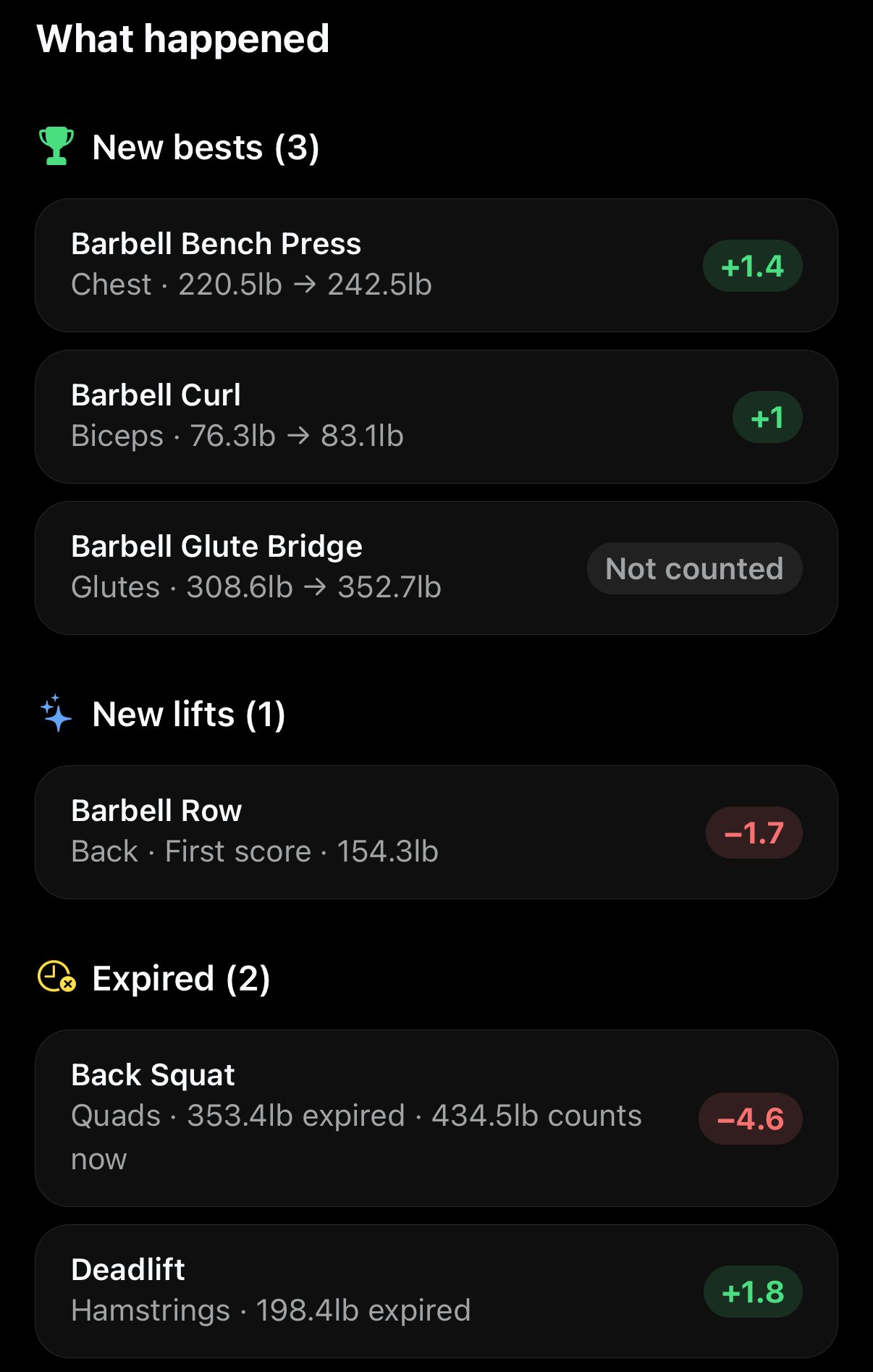
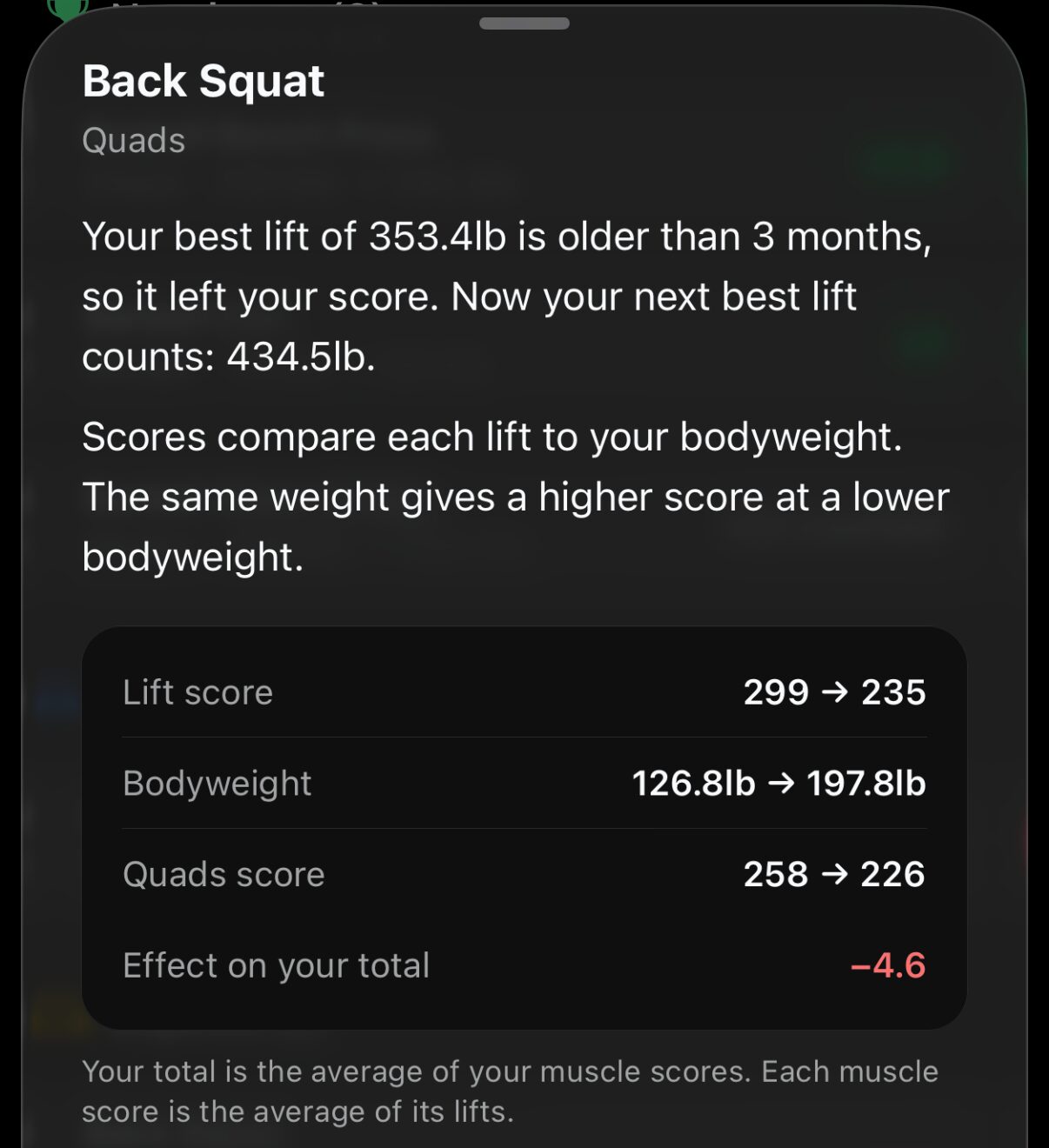
Tap a lift for the full story: its score, the bodyweight it was scored at, its muscle score, and its effect on your total.
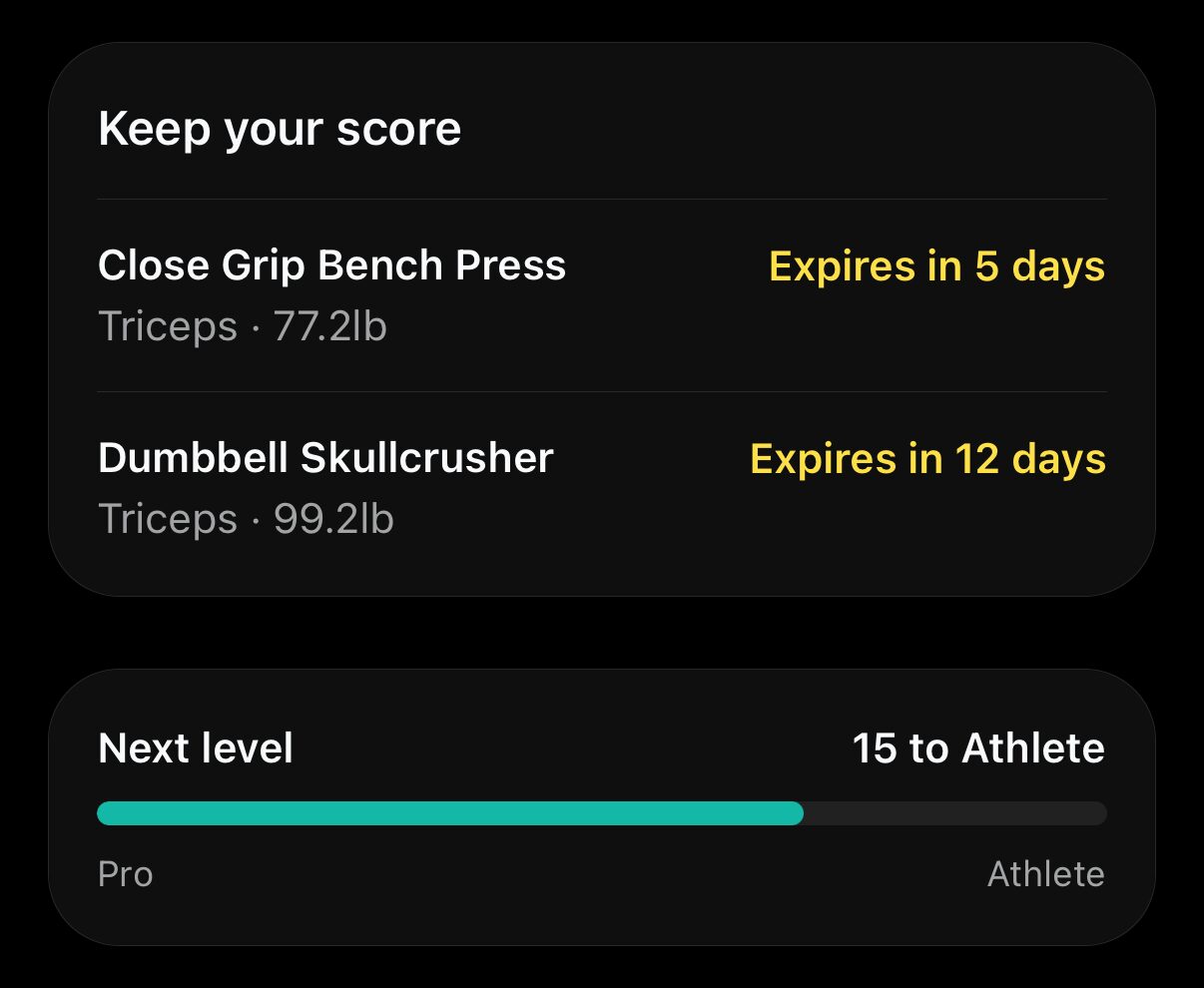
Keep your score lists the lifts that expire in the next two weeks. Tap one and choose Add to queue, so you lift it again before it leaves your score. Next level shows how many points you need to level up.
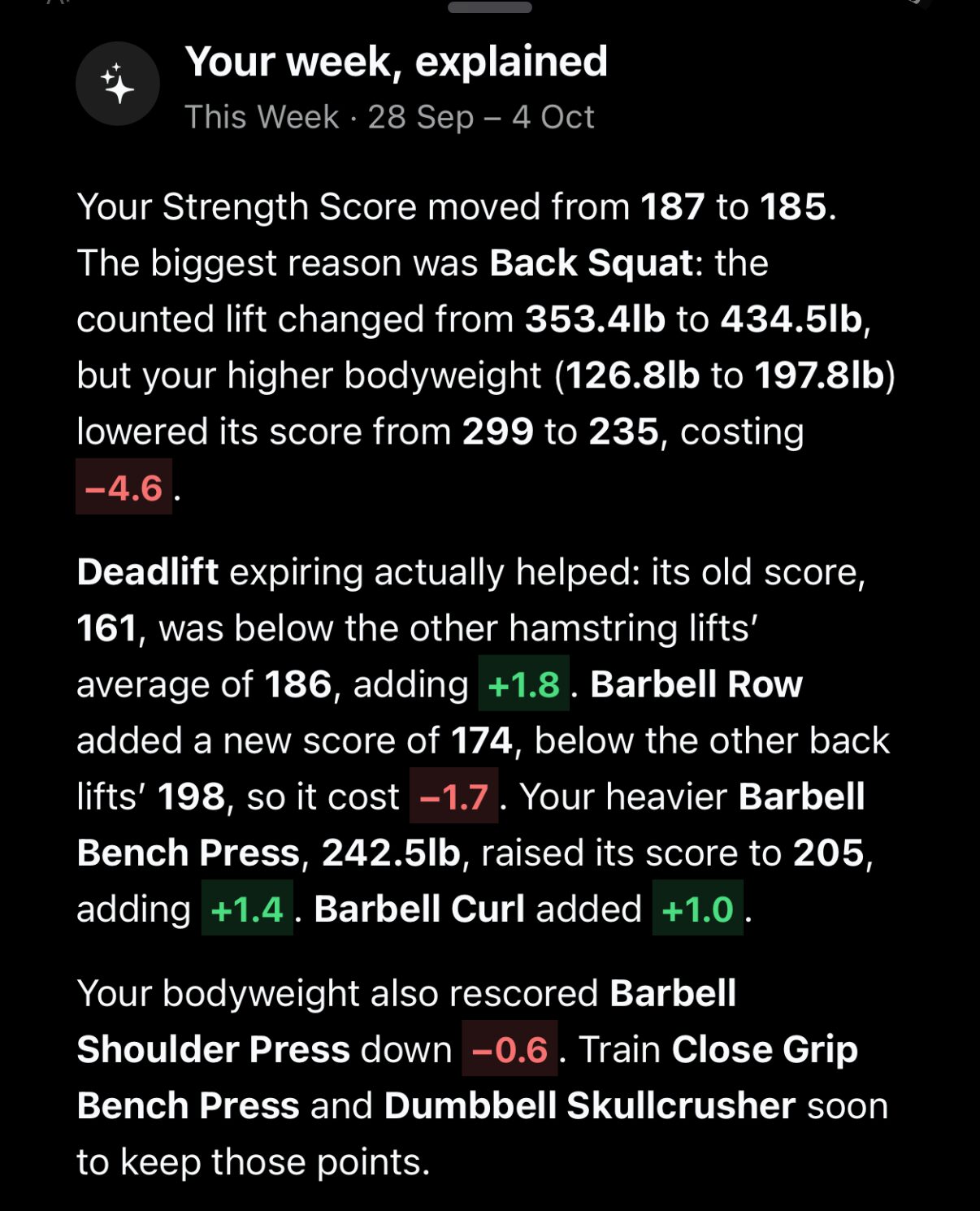
Short on time? Tap Explain with AI for a quick, plain summary of your week.
Why did my score do that?
Averages and the 3-month window can give surprising results. These are the common ones:
My score went up, but I didn't train. A weak lift expired. Say your Deadlift scored 160 and your other hamstring exercises average 185. When the Deadlift expires, your Hamstrings score rises to 185, and your total goes up with it.
I tried a new exercise and my score went down. A first score joins its muscle's average. If your first Barbell Row scores 174 and your other back exercises average 198, your Back score drops a little. Keep training it and it will catch up.
I lifted more, but my score dropped. Your bodyweight changed. Every lift is compared with your bodyweight on the day you lifted it, so a 100 kg squat at 75 kg bodyweight can outscore a 105 kg squat at 85 kg. The older lift stays your best until it expires, then the newer one takes over with its lower score.
My best lift expired, but my score barely moved. You have another good lift of that exercise from the last 3 months, and it took over.
I lost weight and my score went up. Same idea in reverse: the same weight is a bigger achievement at a lower bodyweight, so your new lifts score higher.
Settings
- Leave muscle groups out: open the Strength Score screen, tap the gear icon, pick up to two groups on Excluded from Score, and tap Save. This recalculates your score, so your history, badges and leaderboards can change.
- Turn off score celebrations: Profile - Training - Celebration settings.