

Got an idea that would make Gravl better? The best place to share it is the Feature requests board inside the app. Every request there is visible to the team, and votes from other lifters help us see what matters most.
To open it, go to the Profile tab, tap Help & about, then tap Feature request.
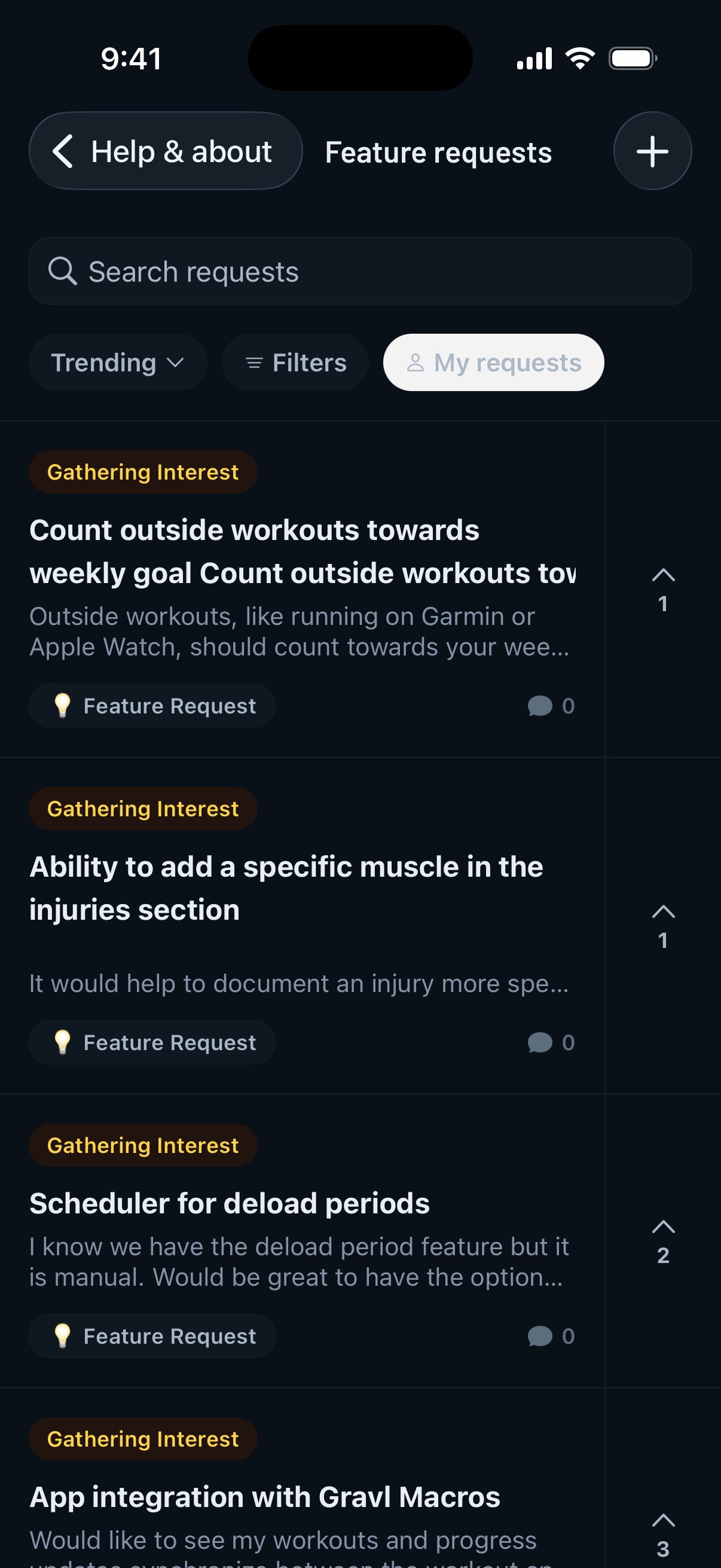
Vote on an existing idea
Chances are someone already asked for something similar. Before posting, use Search requests at the top of the board, or sort by Trending, Top or New. You can also tap Filters to narrow the list by status or type.
Found it? Tap the vote button to add your support. Open the request to read the comments or add your own use case.
Post a new request
- Tap New on the Feature requests board.
- Write a short summary of your idea, then explain what it should do and why it helps.
- Tap Submit.
If Gravl finds similar requests, it shows them first. You can upvote one of those instead, or tap Submit anyway if yours is different.
New requests show as Pending review until the team approves them. Until then, only you can see yours. Tap My requests to find everything you've submitted.
Follow a request's status
Each request shows where it stands:
- Gathering Interest: the idea is open for votes and feedback.
- Planned: the team intends to build it.
- In Progress: it's being worked on.
- Done: it's available in the app.
- Not planned: it isn't something we're going to build for now.
Open any request and tap Get notified to hear when its status changes.
Gravl Tip:
The more votes and detail a request has, the easier it is for us to understand the need. A clear example of how you'd use a feature in your training is often more helpful than the feature name alone.
Something isn't working?
If the app is crashing or behaving unexpectedly, contact support instead so we can look into your account and device. You can reach us from Profile → Help & about → Chat with us.