

If you want to do a specific exercise and can't find it in our library, you can suggest it be added from Profile > Help & about > Feature request.
If you don't want to wait until it is added or if it, for some reason, doesn't meet our criteria, you can always add it yourself. Here's how:
- Tap Library.
- Tap the + in the upper right corner.
- Select Exercise.
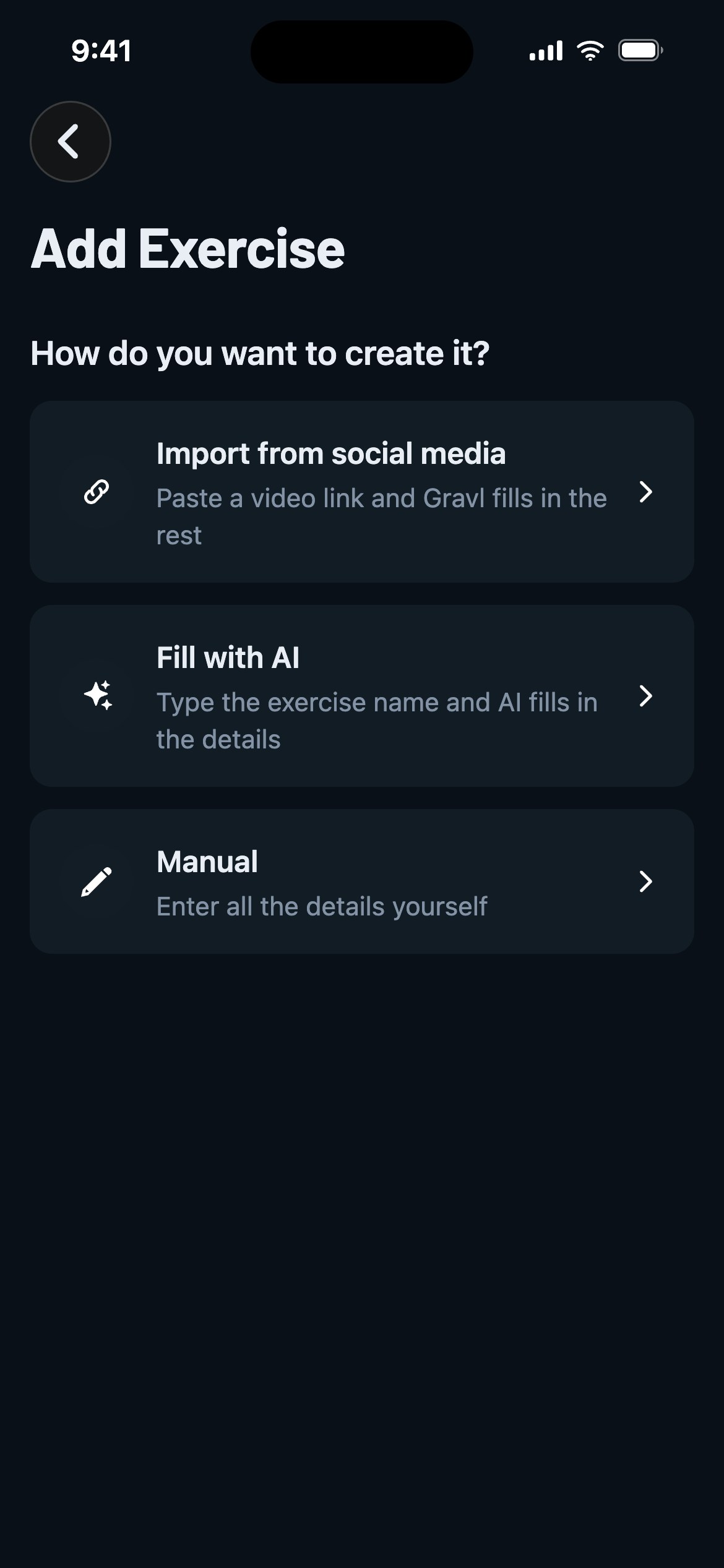
- Choose how you want to create it:
-
Import from social media- paste a video link (YouTube, Instagram or TikTok) and Gravl fills in the rest: name, muscles, equipment and the video itself. Keep in mind that hosted videos are capped at 2 minutes, and the AI checks that the video actually shows an exercise.
-
Fill with AI- type the exercise name and AI fills in the details. If a similar exercise already exists in the library, Gravl will let you know before creating a duplicate.
-
Manual- enter all the details yourself:
- Enter the Name of the exercise.
- Choose the Type of exercise from the list.
- Select the Primary muscle group. If you choose Abs or Shoulders, a Submuscle field appears too (optional).
- Optional: Select the Secondary muscles and the needed Equipment.
- Optional: Add an exercise picture.
Done! You created an exercise! Now, it can be manually added to your sessions.
**Want the AI to include your shiny new exercise in your routine? **
-
Toggle on the option "Include in workouts".
Optionally:
-
Choose between Compound and Isolation Movement.
-
Select the Importance Level.
-
Select the Related exercises (those that should not be included in same workouts as your custom exercise).
-
Tap the "i" icon for more information about these three options.
Gravl Tip:
If you want to take it one step further, after creating the exercise search for it and:
- Tap the three dots
- Select Advanced
- Set your next 1RM
This allows our AI to generate an accurate progression. If you skip this step, the AI will start with the lowest possible number of reps and weights. It will adjust for the next time, of course, based on your actual performance and input.
Good to know
- Your custom exercise needs a machine that isn't in Gravl either? Create the custom equipment first, then pick it while creating the exercise.