
A sore shoulder does not always mean you need to avoid training the entire area. Bench press might be painful while lateral raises feel fine. A sensitive lower back can rule out deadlifts while rows and pull-ups may still feel comfortable.
That’s why Gravl records movements, not muscles. You tell Gravl which movements hurt, and it will avoid exercises associated with those movement patterns until you report that they feel fine again.
Gravl records what you report. It does not diagnose, treat, or rehabilitate an injury — that’s a job for a physio, doctor, or qualified healthcare professional.
If an exercise causes sharp pain, worsening symptoms, numbness, instability, or pain that persists after training, stop the movement and consult a healthcare professional before continuing.
Log an injury
- Open Workout Settings (the sliders icon at the top right of the Train tab)
- Under Muscles, tap Injuries
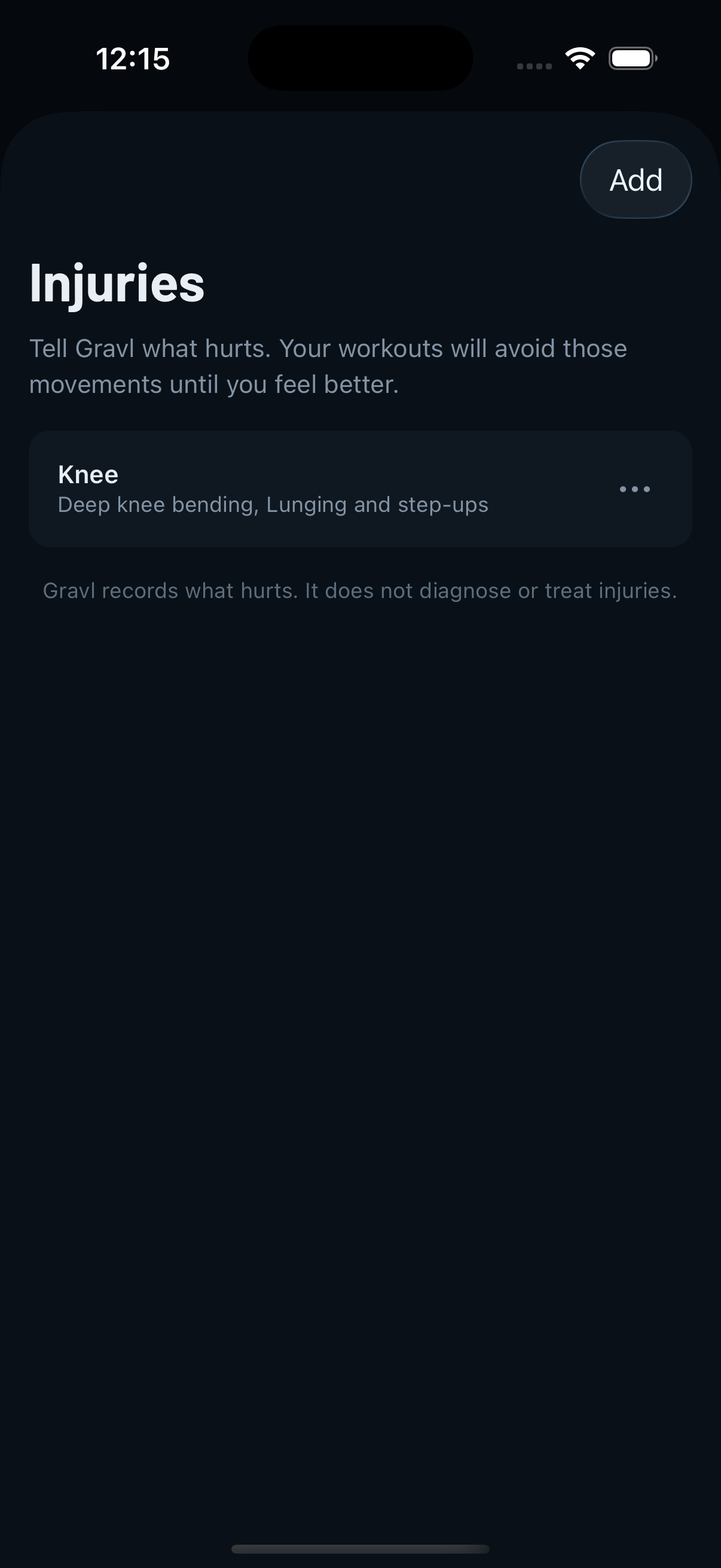
- Tap Add, then pick the area that hurts: Shoulder, Elbow, Wrist or hand, Neck, Lower back, Hip, Knee, or Ankle or foot
- Answer Yes or No to each question - "Does it hurt to press weight overhead?", "Does it hurt to do lunges or step-ups?", and so on
- Tap Save
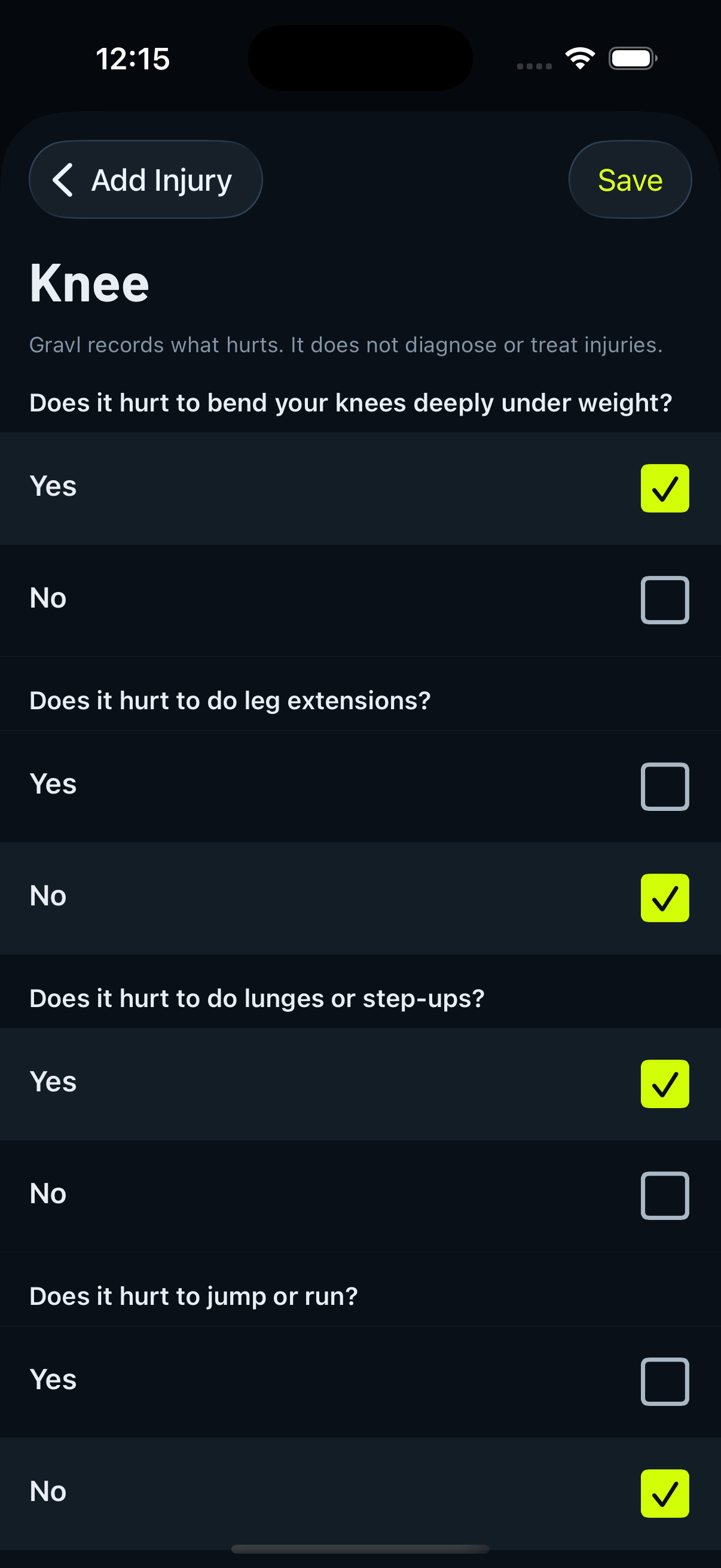
Every question needs an answer, and at least one Yes, otherwise there's nothing to avoid.
The questions are different for each area. For example, a knee injury may ask about deep knee bending, leg extensions, lunges, and jumping. A lower back injury may ask about spinal loading, hinging, crunching, twisting, and back extensions.
You can log more than one injury at a time, and you can reopen an injury later to update your answers.
What changes in your workouts
- Generated workouts leave those exercises out, warm-up and stretching pools included. Your queued exercises are filtered too.
- Fixed sessions substitute instead of dropping. In a saved split or a program, a conflicting exercise is swapped for one that trains the same muscle without the painful movement. Gravl deliberately doesn't reach for "similar" exercises here - a similar exercise usually shares the very movement that hurts.
- Cards adjusted this way are labelled "Adjusted for injuries", and you'll see a notice when a muscle's options were narrowed to avoid painful movements.
- If almost nothing safe is left for a session, the card says "No safe workout available" and offers to skip it so your plan keeps moving. That's the signal to widen your equipment or check whether that many movements really still hurt.
Adding an exercise yourself
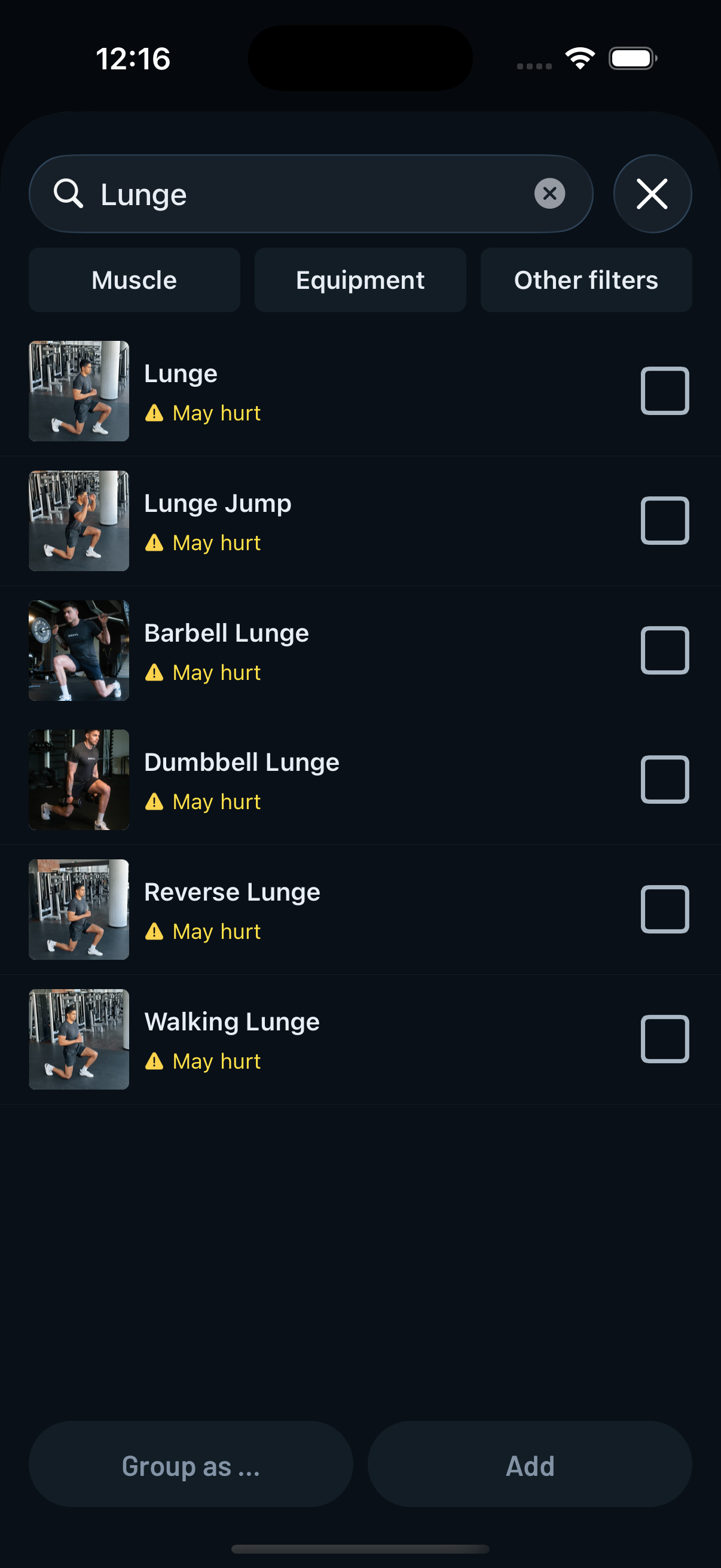
Gravl warns, it doesn't block. In the exercise picker and the replace flows, a conflicting exercise carries an amber "May hurt" tag. Add one anyway and you get an Injury check confirmation naming the exercises before it goes in. Tap Add anyway and it's yours.
Check-ins every two weeks
Injuries can improve over time, and Gravl does not want to keep excluding movements silently for months.
Every two weeks, Gravl checks in about each movement you flagged: “Does this still hurt?”
You can answer:
- Still hurts
- Feels fine now
At most, Gravl asks about three of the oldest flagged movements at once, so the check-in does not become a long questionnaire.
Choosing Feels fine now clears that movement, and the related exercises can return to your workouts. When every movement linked to an injury is cleared, the injury resolves automatically.
Past injuries
Resolved injuries move to a Past injuries list. They are read-only history: tap one to see what hurt and when it resolved.
If the same area flares up again, log it as a new injury instead of editing the old one. This keeps your injury history accurate.
To remove an injury entirely, swipe its row or use the ... menu and choose Delete. Your workouts will stop avoiding those movements immediately.
Injuries, excluded muscles, and excluded exercises
These are three different tools:
- Injuries avoid a movement pattern across the exercise catalog and expire through check-ins.
- Excluded muscles remove a whole muscle group from your split.
- Excluded exercises remove specific exercises permanently. This is the right choice for exercises you simply dislike or never want to perform.
Gravl Tip:
If one specific exercise hurts but the movement in general does not, exclude that exercise instead of logging an injury.
Injuries are for movement patterns that cause pain across different exercises.