

Prima di abbonarti puoi registrare 3 allenamenti gratuitamente, o 5 se ti trovi in Sud America. Dopodiché, Gravl ti chiederà di abbonarti. L'abbonamento viene gestito tramite l'App Store di Apple, Google Play o il nostro checkout web, a seconda di dove ti registri. Ti verrà chiesto di confermare i dati di pagamento e da quel momento il tuo abbonamento avrà inizio.
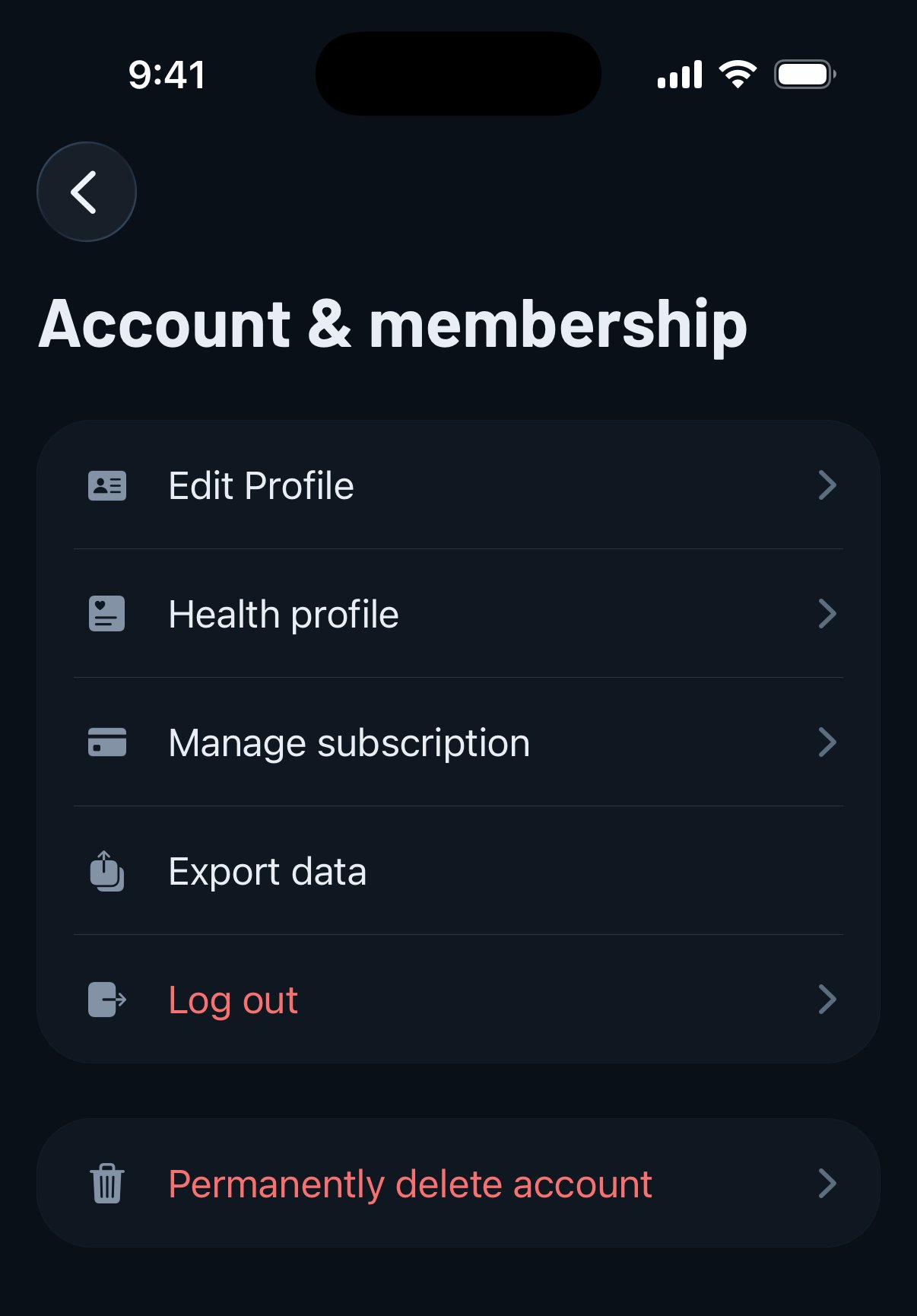
Puoi vedere il tuo abbonamento attuale nella scheda Profilo, in Account e abbonamento - Gestisci abbonamento. Se non hai ancora un abbonamento attivo, toccando quella riga si apre invece la schermata di abbonamento. Se vuoi annullare o cambiare il tuo piano, tocca Gestisci abbonamento. Gravl apre un pannello dell'abbonamento all'interno dell'app dove puoi controllare il tuo piano attuale, gestire la fatturazione e contattare il supporto.
In alternativa, puoi gestirlo direttamente dalle impostazioni del telefono.
Utenti iPhone:
- Vai su Impostazioni > [il tuo nome] > Abbonamenti.
- Tocca un abbonamento, poi tocca Annulla abbonamento o Annulla tutti i servizi.
Utenti Android:
- Sul tuo dispositivo Android, vai agli abbonamenti su Google Play.
- Seleziona l'abbonamento che vuoi annullare.
- Tocca Annulla abbonamento.
- Segui le istruzioni.
Pagamenti web:
Se ti sei abbonato tramite il web, puoi accedere al Portale clienti con l'email che hai usato al momento del pagamento tramite questo link: https://customer-portal.paddle.com/cpl_01jt5jctdhbhzwypcdt20z6885
Se hai altri dubbi o domande, contatta il nostro team di supporto, che cercherà di risolverli.