

Tréninky můžeš do seznamu Oblíbené přidat třemi způsoby.
Možnost 1
V Knihovně klepni na štítek Tréninky. Tam najdeš své uložené tréninky. Pokud chceš vytvořit nový od nuly, klepni na „+“ v pravém horním rohu a vyber Trénink.
Pokud zatím nemáš žádné uložené tréninky, štítek Tréninky zobrazí Zatím žádné vlastní tréninky s tlačítkem Vytvořit trénink. Trénink můžeš vytvořit také odkudkoli v Knihovně:
- Otevři Knihovnu
- Klepni na „+“ v pravém horním rohu
- Vyber Trénink
Možnost 2
Otevři trénink a klepni na nabídku … v pravém horním rohu obrazovky tréninku. Pak klepni na Oblíbené. Otevře se okno Uložit trénink: napiš Název a klepni na Uložit. Název je povinný, takže dokud ho nevyplníš, nic se neuloží.
Můžeš to udělat i po tréninku: na obrazovce Uložit trénink zapni Uložit jako oblíbený, nebo otevři dokončený trénink, klepni na nabídku … a vyber Uložit.
Pokud během tréninku změníš uložený trénink, Gravl se tě při uložení zeptá Aktualizovat šablonu?. Klepni na Aktualizovat šablonu, pokud si chceš změny ponechat i na příště, nebo na Ponechat původní.
Jakmile je máš uložené, najdeš své tréninky kdykoli v Knihovně.
Nastav si preferovanou variabilitu tréninků
Nezapomeň si u oblíbených tréninků vybrat preferovanou variabilitu.
Uděláš to tady:
- Trénink > ikona posuvníků vpravo nahoře > Změny uložených tréninků (v sekci Struktura tréninku) nebo
- Knihovna > Tréninky > karta Změny uložených tréninků nahoře. Tuto kartu můžeš zavřít křížkem X.
Možnosti variability
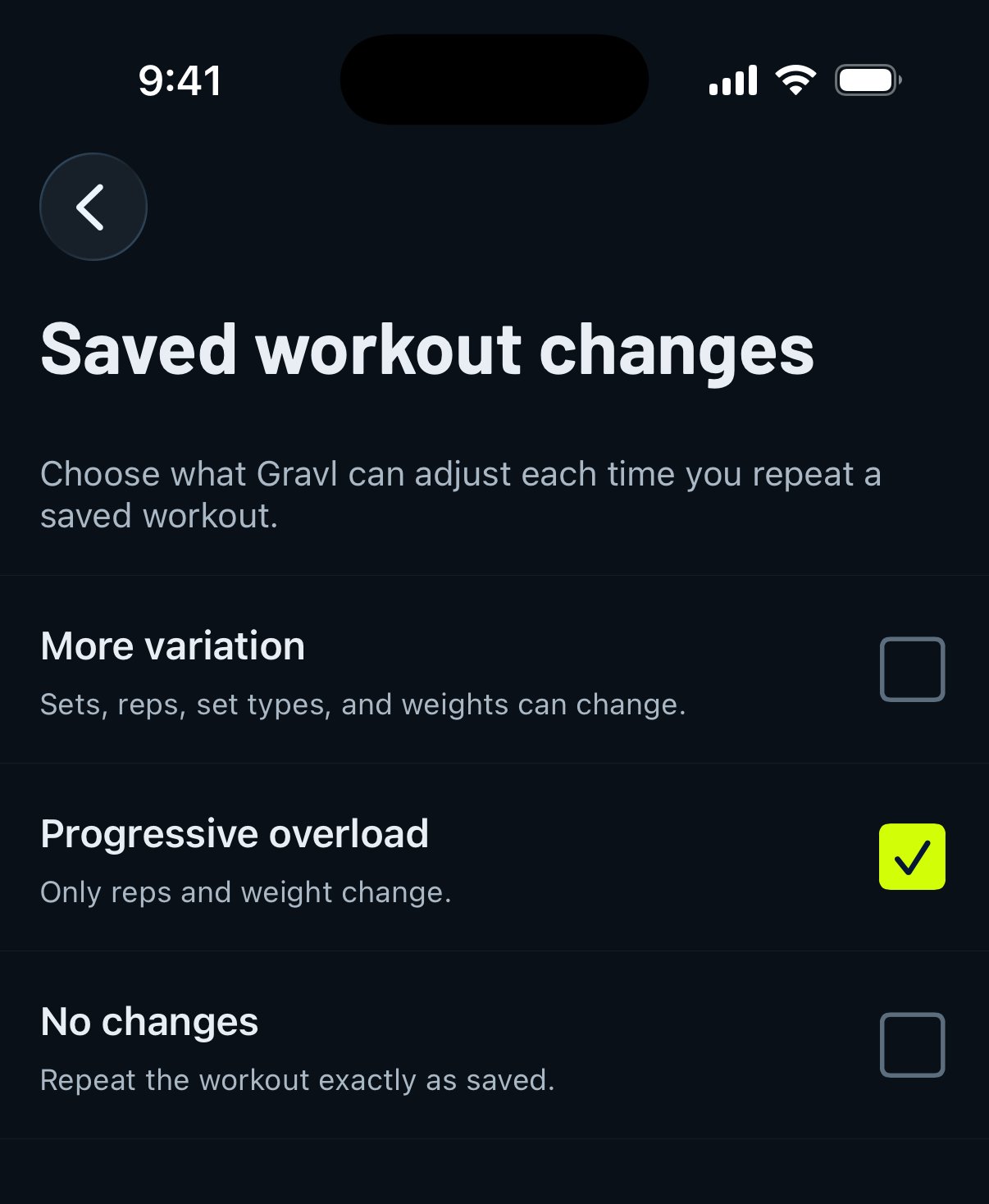
Více obměn
Cviky a jejich pořadí zůstávají stejné, ale počet sérií, opakování a typy sérií se mohou měnit podle tvého obecného nastavení tréninků.
Progresivní přetížení
Cviky, jejich pořadí a počet sérií zůstávají stejné, ale opakování a váhy se mohou měnit, aby se uplatnilo progresivní přetížení.
Bez změn
Trénink se vždy vygeneruje přesně tak, jak jsi ho původně uložil(a).
Tip od Gravlu:
Tyto tréninky si můžeš kdykoli zopakovat. Můžeš je také použít při vytváření vlastního rozložení.