

Nie możesz znaleźć idealnego splitu wśród Podziałów Gravl?
Może więc stworzysz własny?
Tworzenie niestandardowego splitu
- Dotknij Biblioteka
- Dotknij „+” w prawym górnym rogu
- W menu dotknij Niestandardowy Podział, aby zbudować split od zera, lub Import AI, aby zaimportować treningi z linku, pliku PDF lub zdjęcia. Jeśli źródło zawiera więcej niż jeden trening, Gravl zbuduje z nich także split.
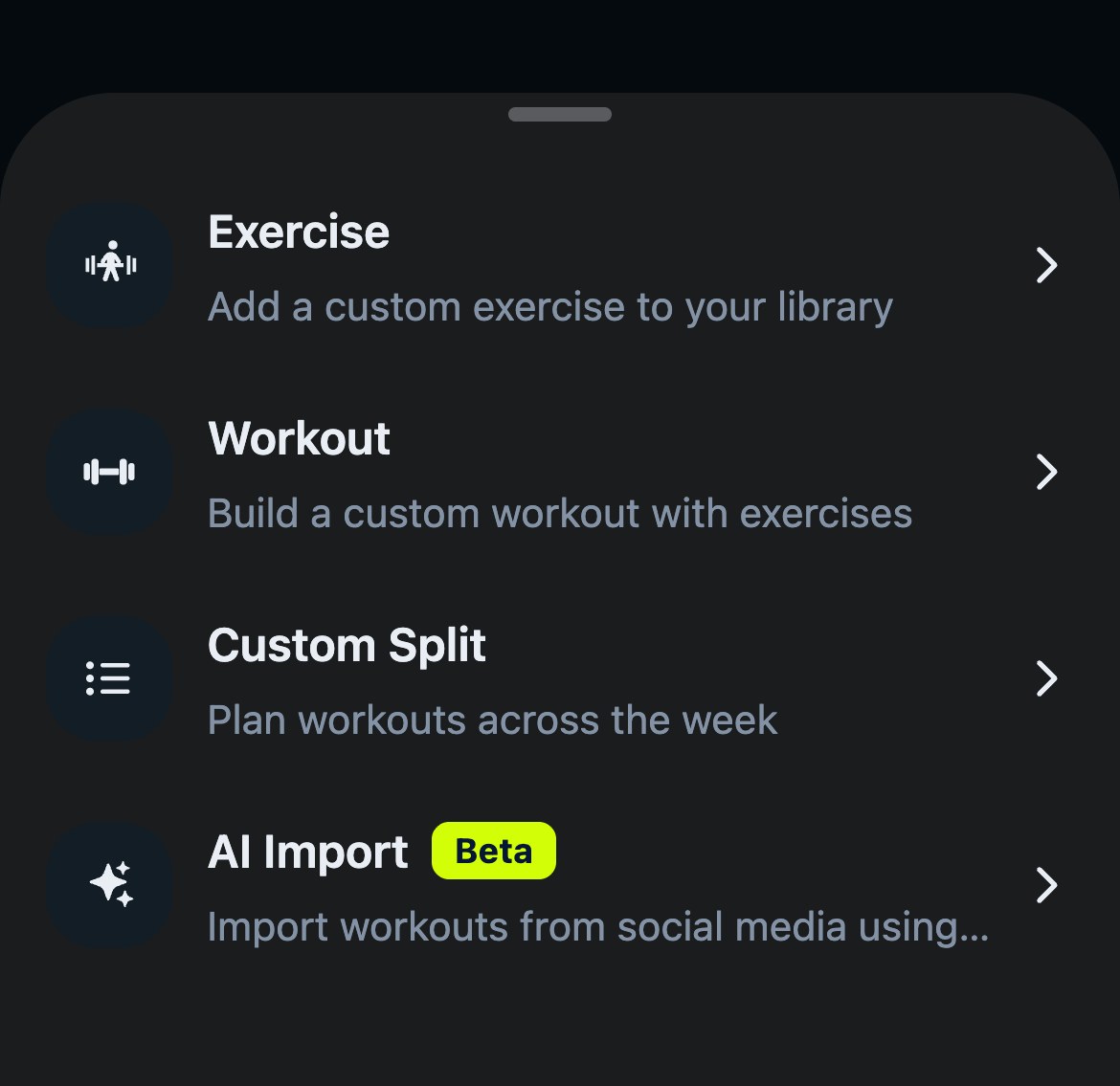
Kreator Niestandardowego Podziału przeprowadzi Cię przez wszystko krok po kroku:
-
Nazwij go - wpisz nazwę swojego splitu, maksymalnie 50 znaków. Przycisk Kontynuuj pozostaje nieaktywny, dopóki jej nie wpiszesz.
-
Policz - wybierz, ile treningów ma zawierać Twój split. Nie zastanawiaj się nad tym za długo, treningi możesz później dodawać i usuwać.
-
Zbuduj każdy trening - dla każdego treningu wybierz:
- Ulubiony Trening: użyj ponownie sesji zapisanej jako ulubiona albo dotknij Utwórz nowy trening, aby zbudować ją od ręki.
- Grupy Mięśniowe: wybierz mięśnie i pozwól Gravl zbudować trening.
-
Potwierdź - przejrzyj podsumowanie. Opcja Ustaw jako mój aktywny podział jest domyślnie włączona, więc wyłącz ją, jeśli chcesz tylko zapisać split na później, a następnie dotknij Utwórz podział. Gotowe!
Wszystkie swoje splity znajdziesz w Bibliotece: dotknij przycisku Podziały, a potem przycisku Niestandardowe.
Przykład: tworzenie 3-dniowego splitu
Jeśli chcesz utworzyć 3-dniowy split składający się z:
- Klatka piersiowa / Biceps / Przedramiona / Mięsień prosty brzucha
- Plecy / Czworoboczny / Triceps
- Czworogłowe / Dwugłowe uda / Łydki / Barki
Wykonaj te kroki:
- Otwórz Bibliotekę, dotknij + i wybierz Niestandardowy Podział
- Nazwij swój split
- Ustaw liczbę treningów na 3
- Dla Treningu 1 z 3 dotknij Grupy Mięśniowe, wybierz Klatkę piersiową, Biceps, Przedramiona i Mięsień prosty brzucha, a następnie dotknij Kontynuuj
- Powtórz dla pozostałych dwóch treningów
- Na ekranie Podsumowanie dotknij Utwórz podział
Importuj split z AI
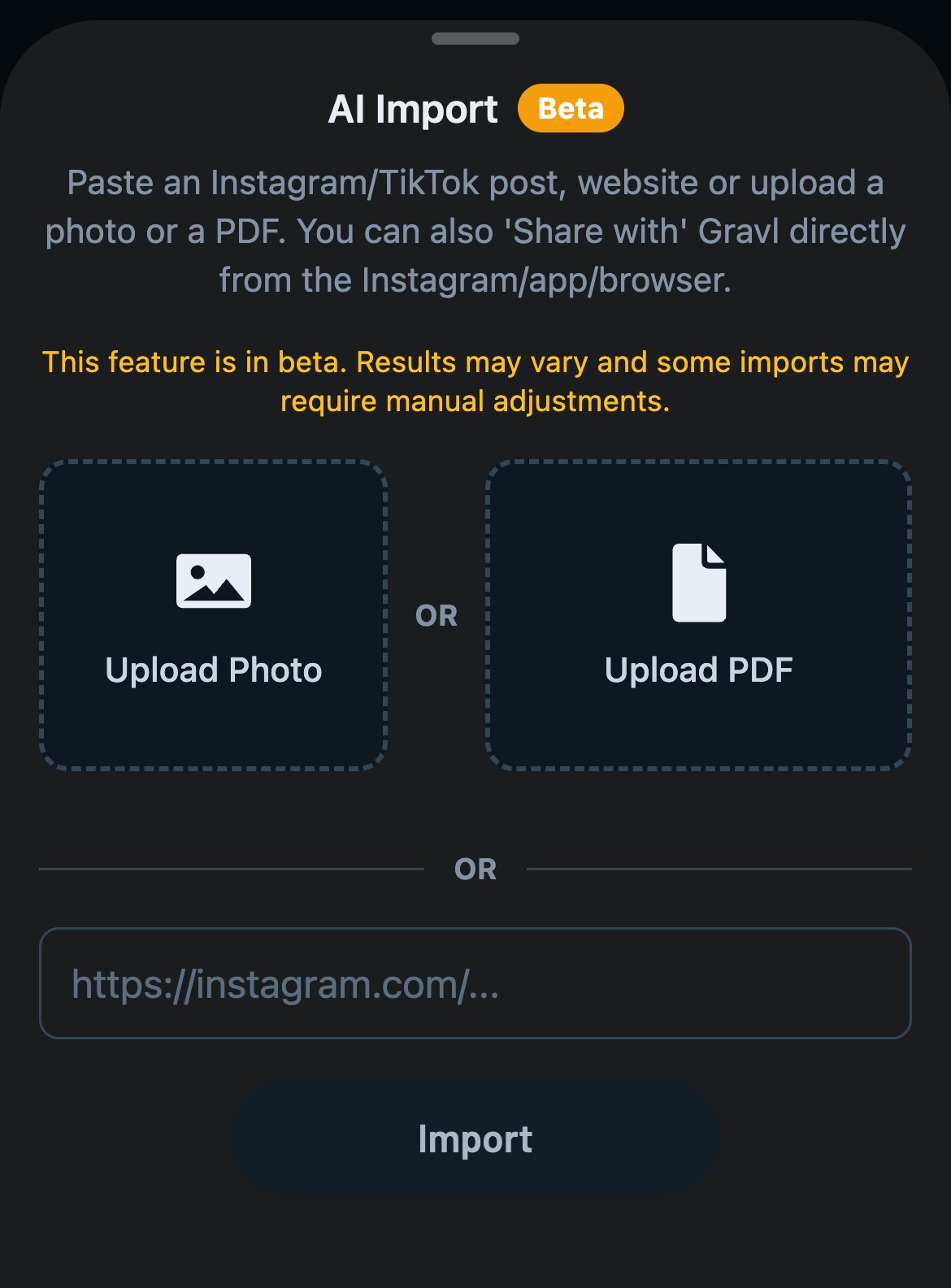
Znalazłeś(-aś) program na Instagramie lub TikToku, dostałeś(-aś) PDF od trenera albo masz zdjęcie planu z tablicy na siłowni? Wybierz Import AI w tym samym menu. Po wykorzystaniu darmowych treningów ta funkcja wymaga subskrypcji Gravl. Następnie:
- Zrób zdjęcie, wybierz je z galerii, prześlij PDF lub wklej link.
- W przypadku linku wklej go i dotknij Importuj. W przypadku zdjęcia lub pliku PDF przesyłanie zaczyna się, gdy tylko wybierzesz plik. Tak czy inaczej dostaniesz powiadomienie, gdy Twoje treningi będą gotowe w Bibliotece.
Dostęp do niestandardowych splitów z ustawień treningu
Niestandardowy Podział możesz też rozpocząć z ustawień treningu:
- Na karcie Trening dotknij ikony suwaków w prawym górnym rogu
- Dotknij Podział
- Dotknij Utwórz Niestandardowy Podział
Jeśli Twój niestandardowy split jest aktywnym splitem i wymaga więcej czasu niż domyślny czas trwania treningu, ekran Podział wyświetli ostrzeżenie Potrzebujesz dłuższego treningu?. Dotknij Zmień czas trwania, w przeciwnym razie Gravl może pominąć niektóre grupy mięśniowe.