

Gravl pozwala łączyć się ze znajomymi, śledzić ich postępy i porównywać wasze osiągnięcia.
Aby dodać znajomego:
- Otwórz kartę Aktualności i dotknij ikony dodawania znajomego u góry.
- Wybierz swoją broń:
- QR: Gravl pokaże Twój osobisty kod QR i link, który możesz udostępnić w dowolnej aplikacji.
- Nazwa użytkownika: wyszukaj nazwę użytkownika znajomego i dotknij Dodaj.
To samo możesz zrobić na ekranie Profil - Znajomi.
Gdy znajomy otworzy Twój link lub zeskanuje Twój kod:
- Zostanie dodany od razu, jeśli ma już Gravl.
- Jeśli jeszcze nie ma Gravl, link najpierw przeniesie go do App Store lub Google Play.
Jeśli ktoś wyśle zaproszenie do znajomych Tobie, znajdziesz je pod ikoną dzwonka na karcie Aktualności - zaakceptuj je, a zobaczysz nawet mały ekran z gratulacjami.
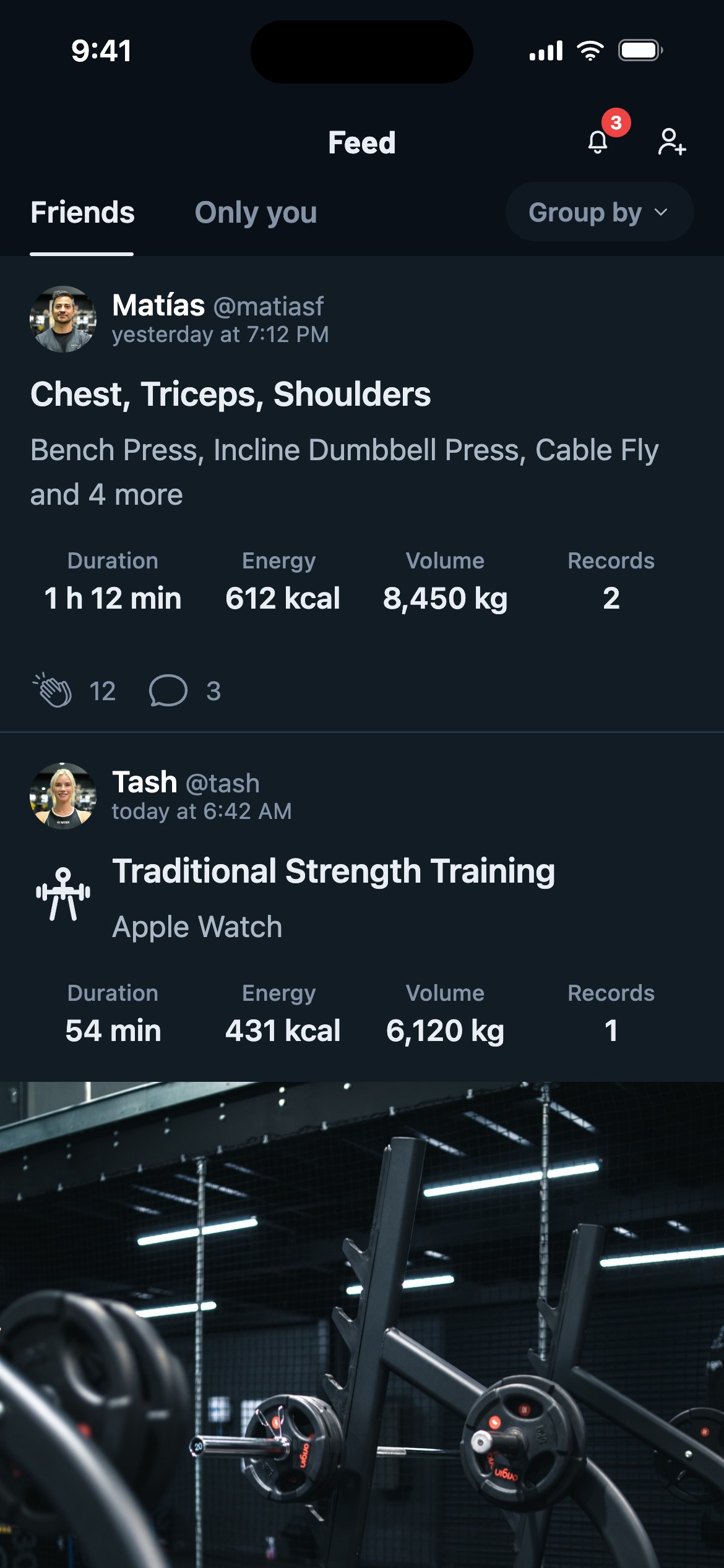
Po połączeniu będziecie mogli:
- Widzieć nawzajem swoje Treningi, Wyniki i Odznaki w Aktualnościach.
- Dawać brawa za sesje znajomych i zostawiać komentarze, żeby ich motywować (albo żartować z ich frekwencji w dzień nóg - Twoja decyzja).
- Oglądać wynik znajomych i mapę cieplną ich treningów.
- Widzieć wykresy wyników i postępy swoje i znajomych.
- Sprawdzić, jak wypadasz w dowolnym ćwiczeniu: otwórz je, dotknij Analityka i zajrzyj do karty Znajomi na karcie Statystyki.
- Sprawdzić Ranking znajomych na ekranie Znajomi, żeby zobaczyć, kto jest naprawdę najsilniejszy.
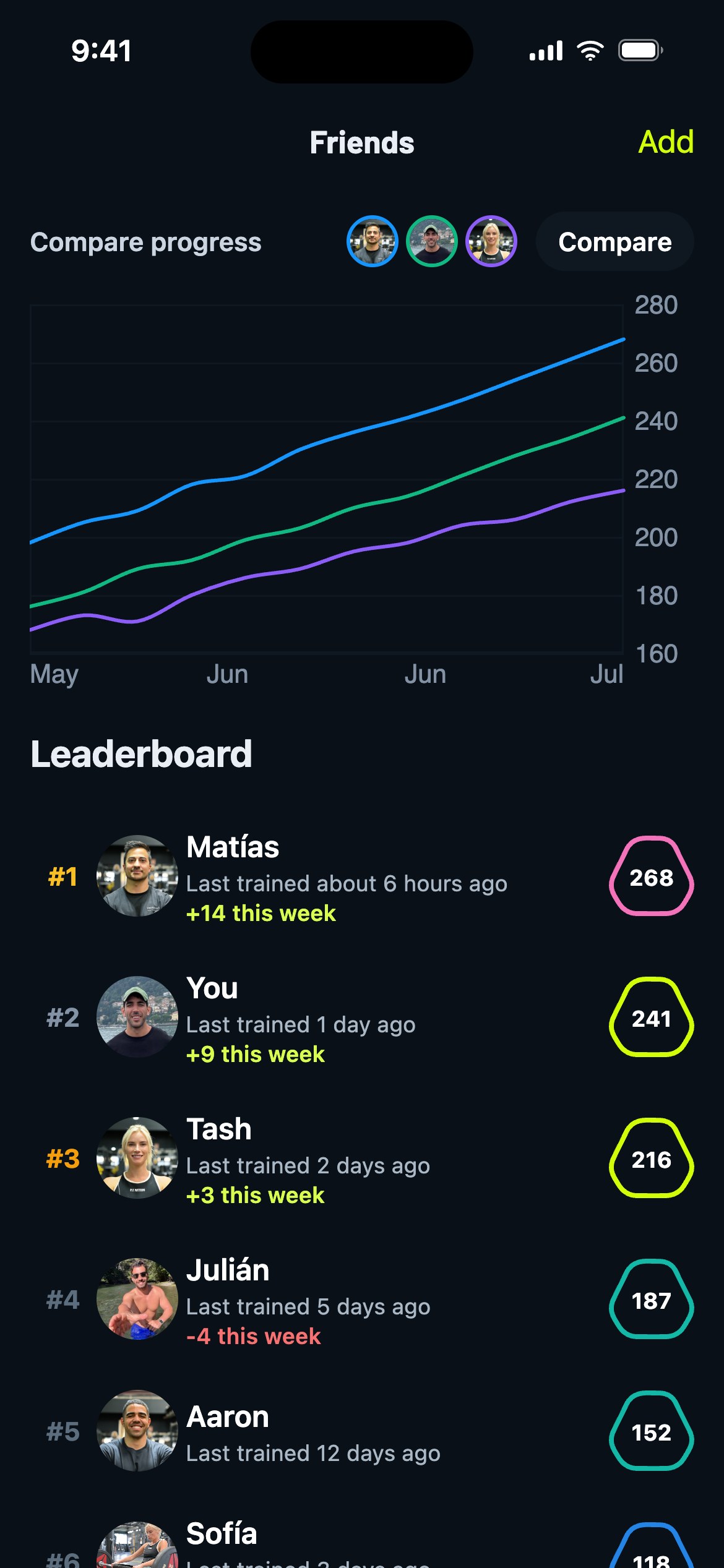
Co więcej, możecie porównywać także Serie i rankingi.
Wskazówka Gravl:
Jeśli opublikowałeś(-aś) trening, dotknij licznika braw na swojej karcie, żeby zobaczyć, kto dokładnie zareagował. Nareszcie sława!