

Tvůj trénink se neodehrává jen v Gravlu - a nemusí zůstat izolovaný. Propoj své zdravotní aplikace a Gravl bude synchronizovat tréninky oběma směry a všechno započítá do tvé regenerace svalů.
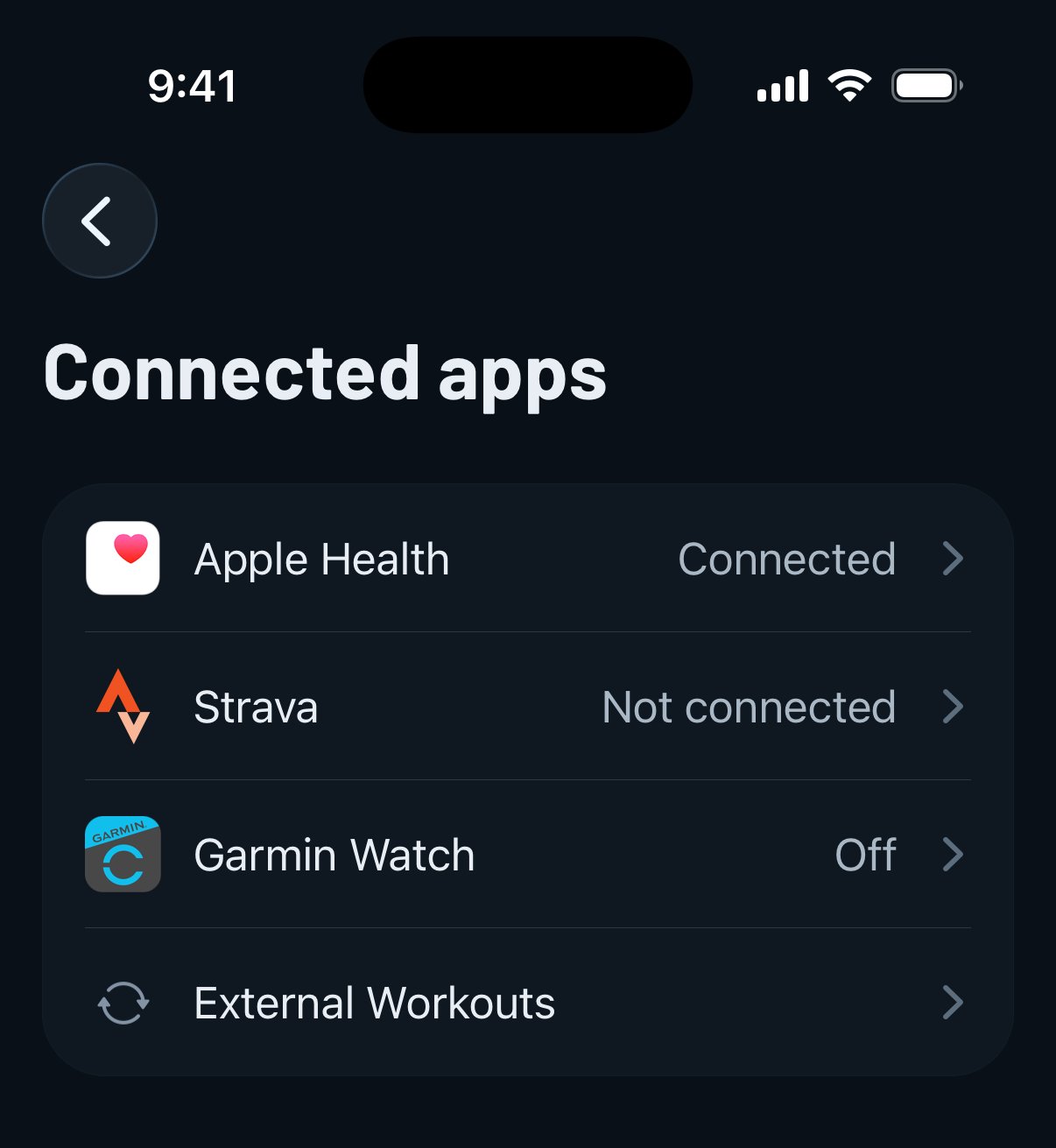
Všechna propojení najdeš v Profil - Propojené aplikace:
- Apple Health (iPhone): synchronizace tréninků a aktivní energie mezi Gravlem a Zdravím.
- Health Connect (Android): totéž, jen v edici pro Android.
- Strava: posílej dokončené tréninky z Gravlu do svého feedu na Stravě, ať tvoji sledující vidí, jak makáš.
- Hodinky Garmin a Spouštět tréninky na Apple Watch (zobrazí se, jakmile je nainstalovaná aplikace pro hodinky): pokud chceš trénovat ze zápěstí, podívej se na Gravl na hodinkách, nebo jdi rovnou na návod pro své zařízení: Apple Watch, Wear OS nebo Garmin. Wear OS se s telefonem spáruje samo. Na Androidu tu najdeš i volitelný přepínač Zjednodušené zobrazení na hodinkách, který na hodinkách ukazuje vždy jen jednu sérii.
Import externích tréninků
Byl(a) jsi běhat, jezdit na kole nebo plavat a zaznamenal(a) to v jiné aplikaci? Jakmile propojíš Apple Health nebo Health Connect, Gravl tyto aktivity automaticky rozpozná a nabídne ti jejich import.
Uvidíš náhled s klíčovými statistikami - vzdálenost, délku, energii, průměrnou tepovou frekvenci, tempo, převýšení a pokud je k dispozici, i mapu trasy. Pak přijde ta důležitá část:
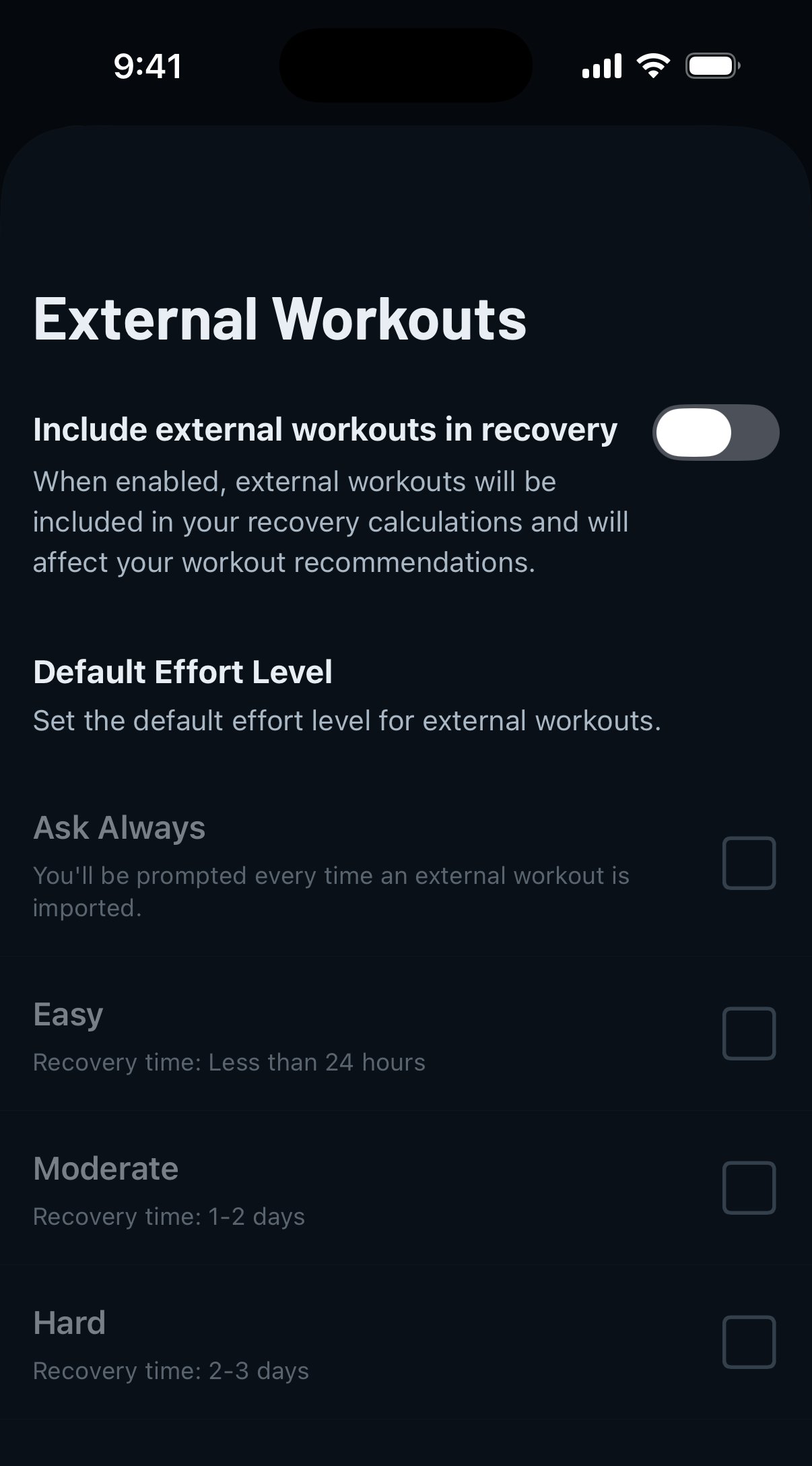
Ohodnoť svou námahu. Tím Gravlu řekneš, jak náročný trénink doopravdy byl, aby mohl přesně aktualizovat regeneraci tvých svalů:
- Nízká námaha: přibližně 1 den regenerace.
- Střední námaha: obvykle 1-2 dny.
- Vysoká námaha: 2-3 dny do úplné regenerace.
Klepni na Importovat trénink a přidej ho do historie, nebo na Přeskočit, pokud ho tam mít nechceš.
Tip od Gravlu:
Hodnoť námahu upřímně! Přímo se promítá do tvé regenerace, podle které Gravl rozhoduje, které svaly jsou připravené na trénink. „Lehký“ 20km trailový běh se ti vymstí na dni nohou.
Rozhodni, co se započítá
Nechceš, aby se importované aktivity započítávaly do výpočtu regenerace? V Profil - Propojené aplikace - Externí tréninky můžeš nastavit, jak se importovaná aktivita a regenerace synchronizují.
Dobré vědět
- Importované tréninky se zobrazují v historii a ve feedu, ale jsou uzamčené: nemůžeš je upravovat ani synchronizovat se Stravou.
- Tréninky z Gravlu, které Garmin, Strava nebo Apple Watch zapíšou zpět do Apple Health nebo Health Connect, ti k importu znovu nabídnuty nebudou.
- Gravl čte jen to, co povolíš - oprávnění máš pod kontrolou ve zdravotních aplikacích a odpojit se můžeš kdykoli.